🎨 Unified Prompt Library
Store unlimited image and video prompts in one place. Custom folders keep your library organized—create folders for Animals, Characters, Florals, or any category that fits your workflow.
- 📁 Custom folders + built-in Favorites view
- ⭐ Star ratings (1–5) to mark your best work
- 🔍 Full-text search + tag filtering
- 🔀 Sort by newest, oldest, rating, or alphabetical
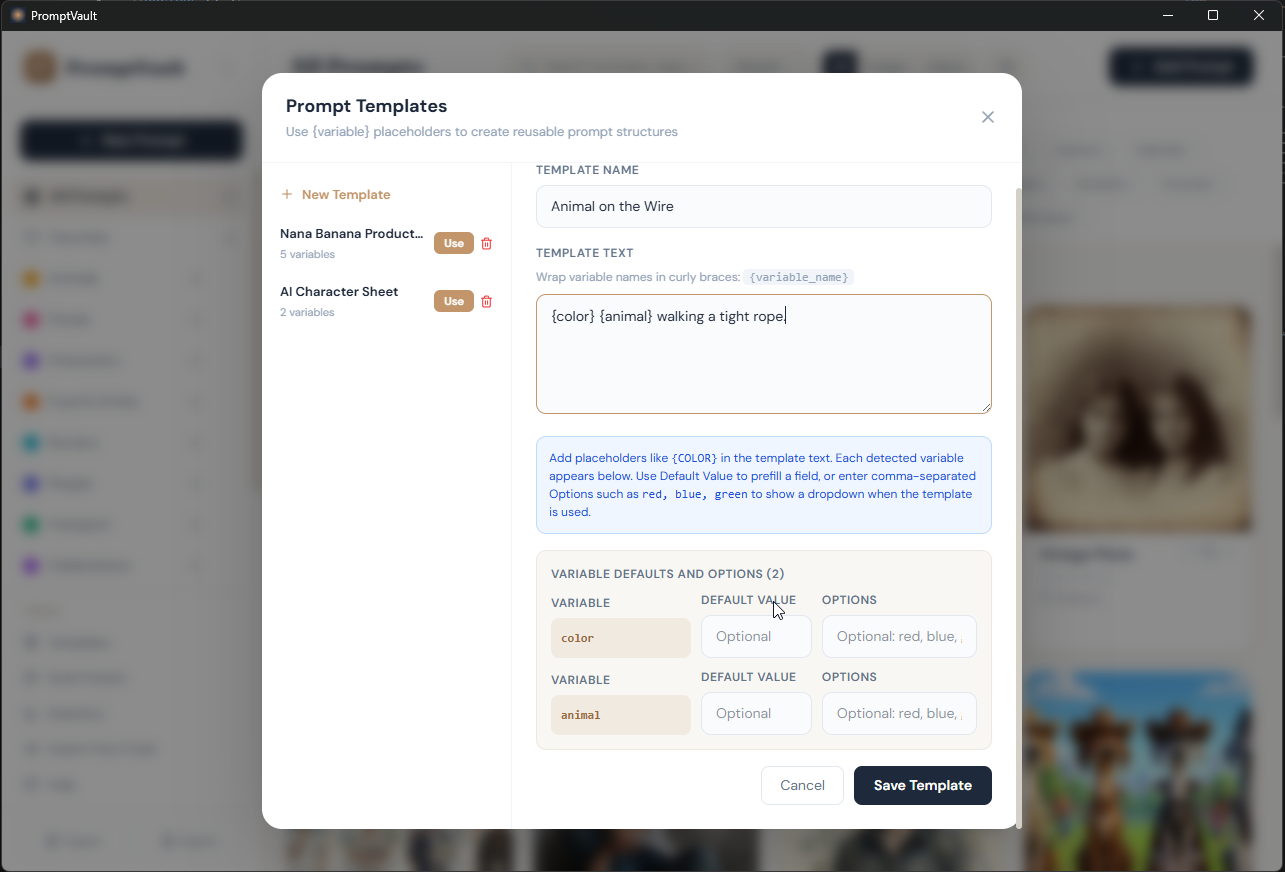
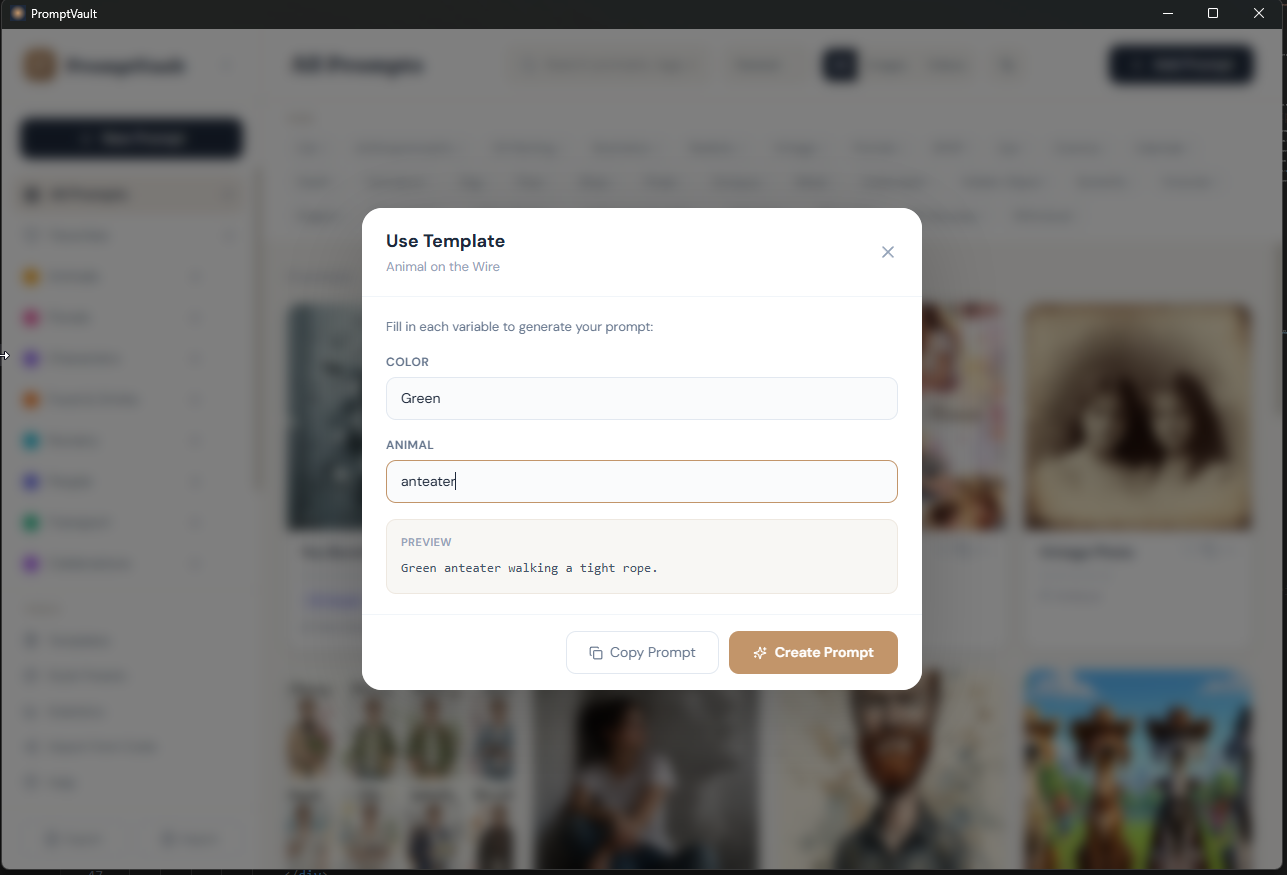
📝 Powerful Template System
Create reusable prompt templates with variables like {style}, {subject}, and {mood}. Fill-in-the-blanks UI with live preview lets you generate 10+ variations in seconds without retyping.
- 📋 Define dropdown options for each variable
- 👀 Live preview as you fill in values
- ⚡ Generate variations instantly
- 💾 Save templates for unlimited reuse
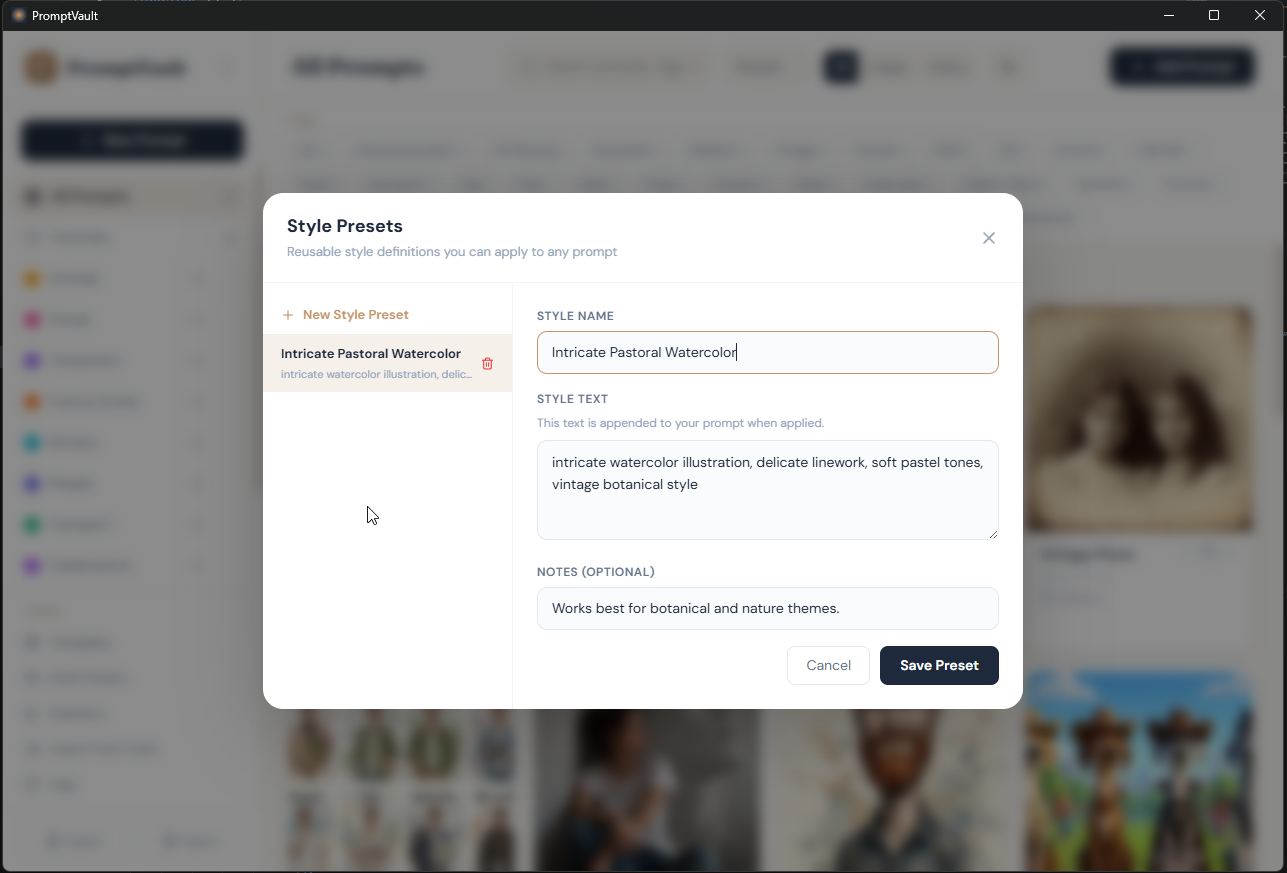
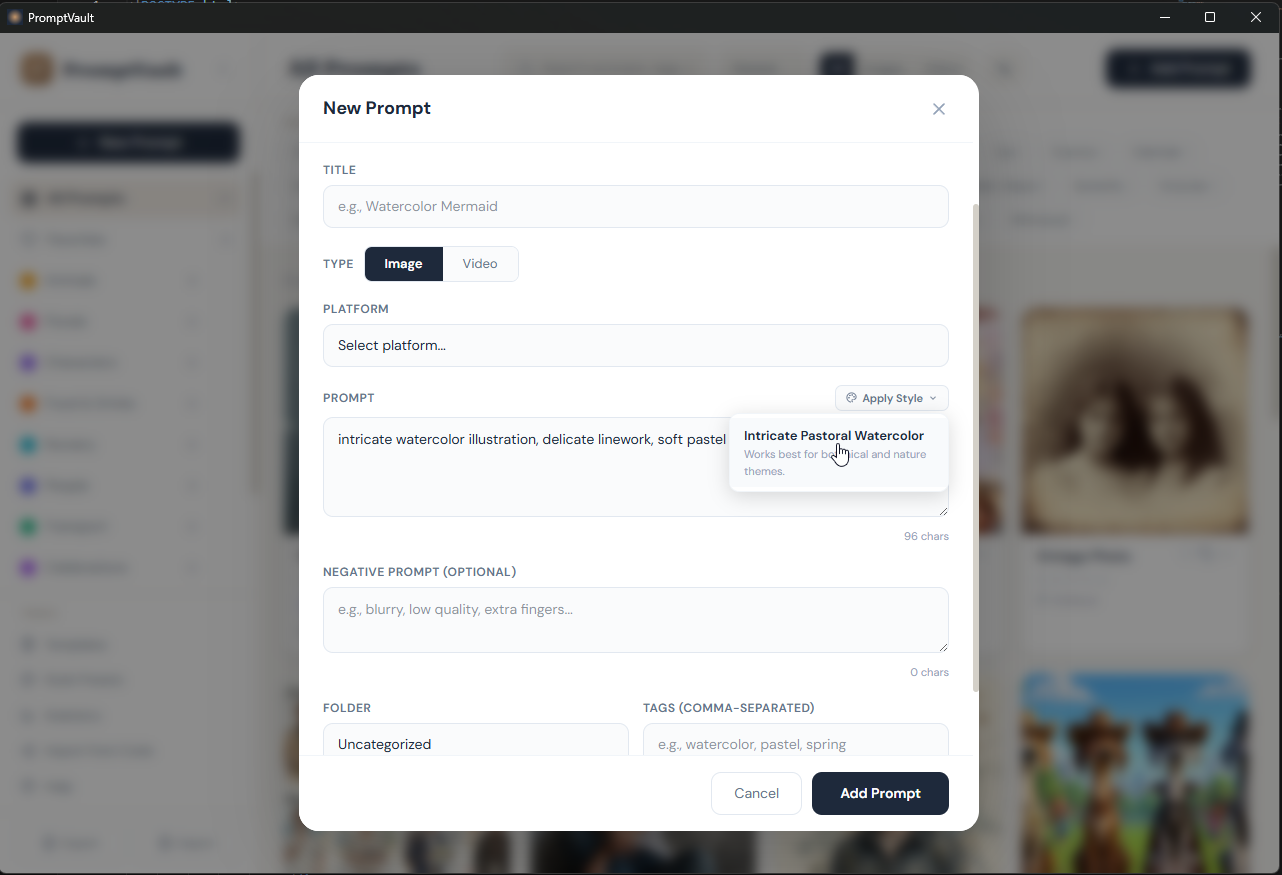
🎨 Style Presets
Save your signature style snippets once—"cinematic lighting", "ultra-detailed oil painting", "cyberpunk neon"—then one-click append them to any prompt. Build your visual signature in seconds.
- ✨ Save unlimited style snippets
- 🎯 One-click append to prompts
- 🔄 Reuse across all your projects
- 📊 Organize by theme or platform
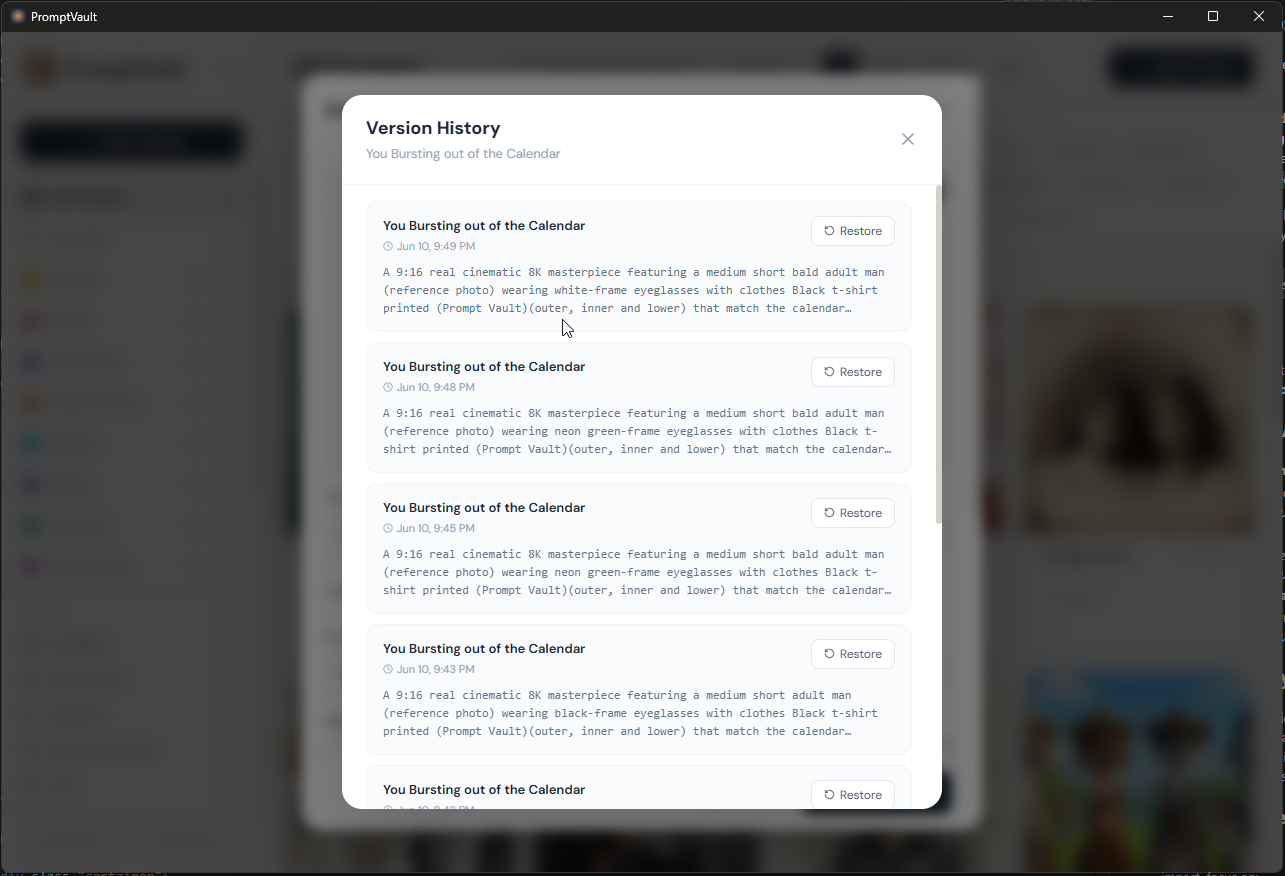
⏱️ Version History
Every edit is automatically saved. Keep up to 10 versions of each prompt—compare variations, restore previous versions, and track when you made changes. Never lose a promising iteration again.
- 🔙 Auto-save up to 10 versions per prompt
- 👀 Side-by-side version comparison
- ⏰ Timestamp on every version
- ✅ One-click restore to any version
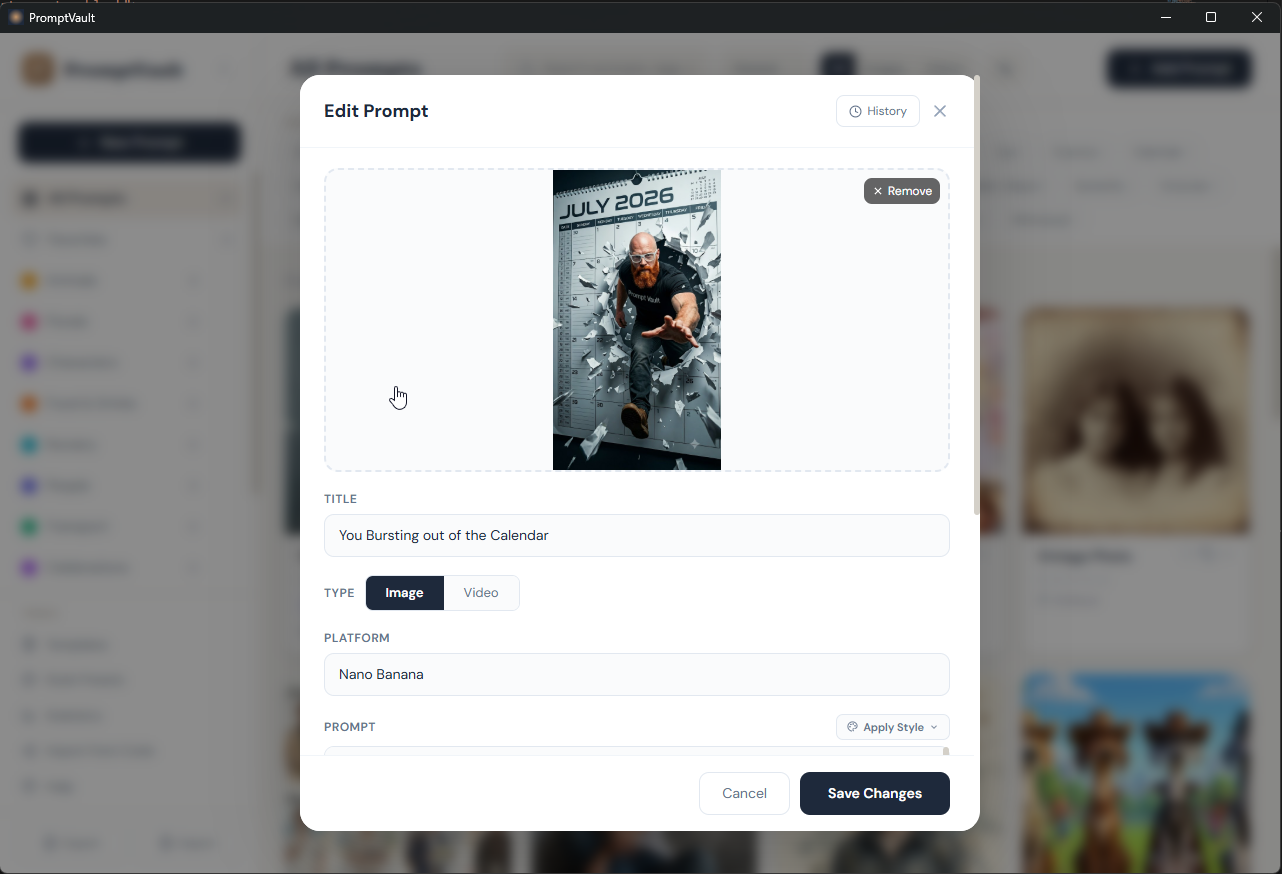
📸 Image Attachments
Attach reference images, before/after visuals, or video frames to your prompts. All images are embedded directly—no broken links, no external dependencies.
- 🖼️ Attach multiple images per prompt
- 📹 Support for video reference frames
- 💾 Embedded storage (no cloud needed)
- 🔍 Visible in search and organization
🔄 Batch Operations
Select multiple prompts and export them as CSV. Organize, rate, and export in bulk without tedious manual work.
- ☑️ Checkbox-select multiple prompts
- 📤 CSV export
- ⭐ Bulk rate and organize
- 🏷️ Apply tags in bulk
📦 Import/Export
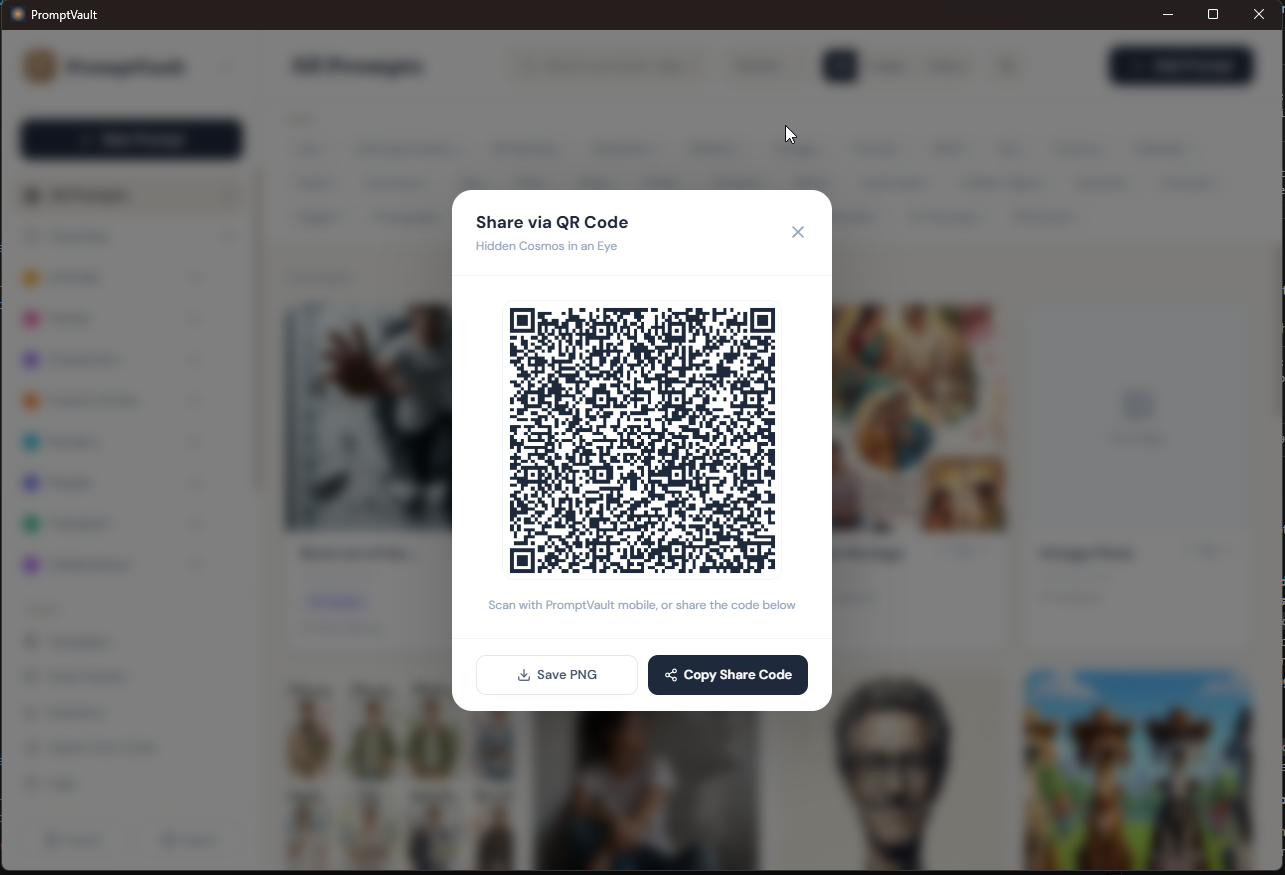
Full control over your data. Export your entire library as JSON with images, folders, templates, and style presets. Generate QR codes to share favorite prompts with collaborators.
- 💾 JSON backups with full library
- 📦 Share "prompt packs" with collaborators
- 📱 QR codes for easy sharing
🎥 Video-First Features
Dedicated fields for video metadata. Capture motion direction (Pan Left, Zoom In, Orbit, Handheld), intensity, aspect ratio, duration, and FPS for all major video platforms.
- 🎬 Support for Runway, Kling, Pika Labs, Luma, Sora, and more
- 🎯 Motion direction options
- ⚡ Motion intensity controls
- 📐 Aspect ratio & duration fields
🖼️ Full Platform Coverage
Works with all major AI image generators. Live character counters show platform-specific limits—knows Midjourney allows 6000 chars, DALL-E only 400. Negative prompt support for advanced control.
- 🎨 Midjourney, DALL-E, Leonardo, Stable Diffusion, Adobe Firefly, and 10+ others
- 📏 Platform-specific character limits
- 🚫 Negative prompt fields
- ✅ Custom platform support
🔒 100% Private & Secure
All data stays on your machine in SQLite. No cloud, no telemetry, no data collection. No account needed, no sign-ups, no internet required. Export JSON anytime for complete portability.
- 🏠 Local-only storage
- 💾 Open SQLite database you fully control
- 👤 No account signup
- 📡 No telemetry or tracking
- 🌐 Works completely offline
📊 Stats & Insights
View library statistics at a glance. See prompt count, favorite count, top-rated prompts, and most-used platforms. Understand your creative output in one visual summary.
- 📈 Total prompt count
- ⭐ Favorite & highly-rated prompts
- 🎨 Platform usage breakdown
- 📅 Creation date insights
Ready to take control of your prompts?
Try every feature free for 14 days — no credit card required.
Download Free Trial →